

Table of Contents
A flight simulator setup can start with a single joystick on a kitchen table. It can also grow into a full replica flight deck that fills a garage.
What changes along the way is not the quality of the fun but the number of senses involved. Better controls add touch, more screens add sight, and a treated room adds sound.
These 25 ideas are ordered roughly from budget desk setups to ambitious cockpit builds. Pick the stage that fits your space and wallet, then upgrade one piece at a time. If you want to know what kind of simulator you are building toward, start with types of flight simulators.
01. Laptop and Joystick Starter Desk
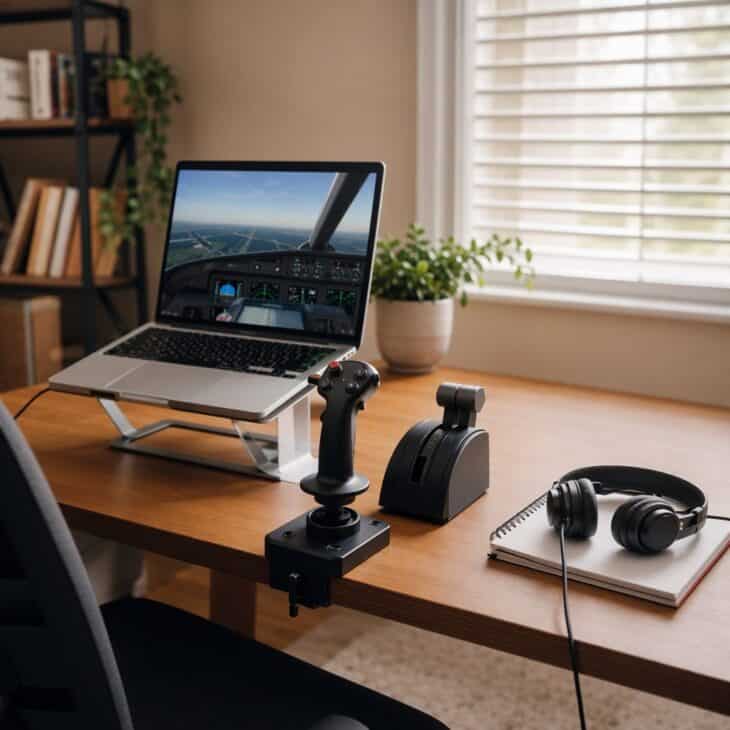
What it is A laptop on a stand, a single joystick with a twist grip, and a small throttle slider or lever, all on an ordinary desk. A wired headset and an external mouse complete the kit.
Why it works It proves you do not need a dedicated room to enjoy simulated flight. Everything packs away in one drawer, so the desk stays a desk. For a work-and-fly space, see these pilot desk setup ideas.
How to get it Check that your laptop has a dedicated graphics chip before you buy anything else. Clamp the joystick to the desk so it cannot slide, and use a stand to lift the screen to eye level. Add the throttle second, since it improves landings more than any other single upgrade.
02. Yoke and Throttle Desk Mount
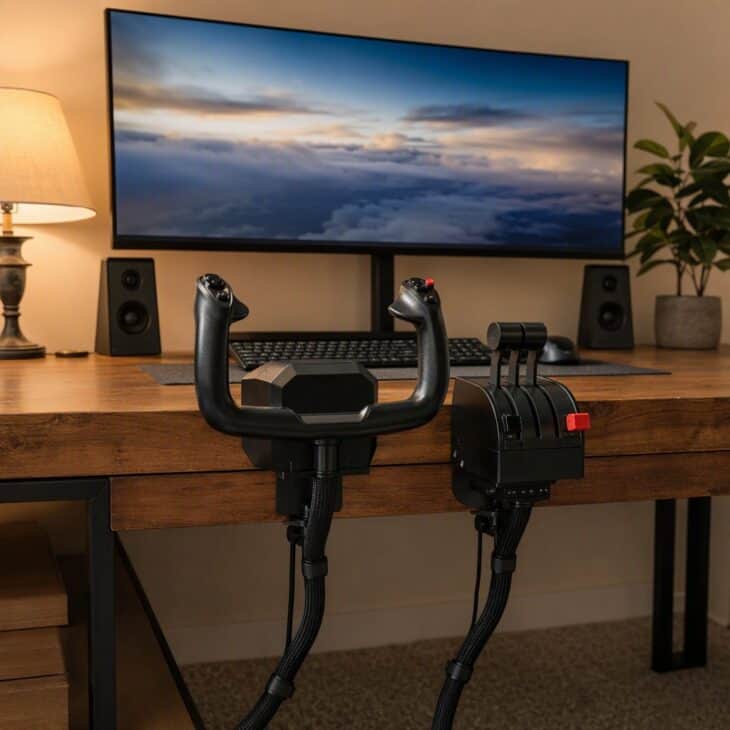
What it is A desk-clamp yoke paired with a multi-lever throttle quadrant, usually mounted at the front edge of a sturdy desk. Some kits add a rubber-feet base for glass or very thin tables.
Why it works A yoke feels far closer to the real thing than a joystick for airliner and light-aircraft flying. The clamps keep the setup removable, which suits renters and shared rooms.
How to get it Measure your desk thickness before ordering, because clamps only open to a set width. Reinforce a thin desk with a board underneath so the yoke does not flex. Route the USB cable behind the desk with adhesive clips.
03. Fold-Down Wall Desk Cockpit
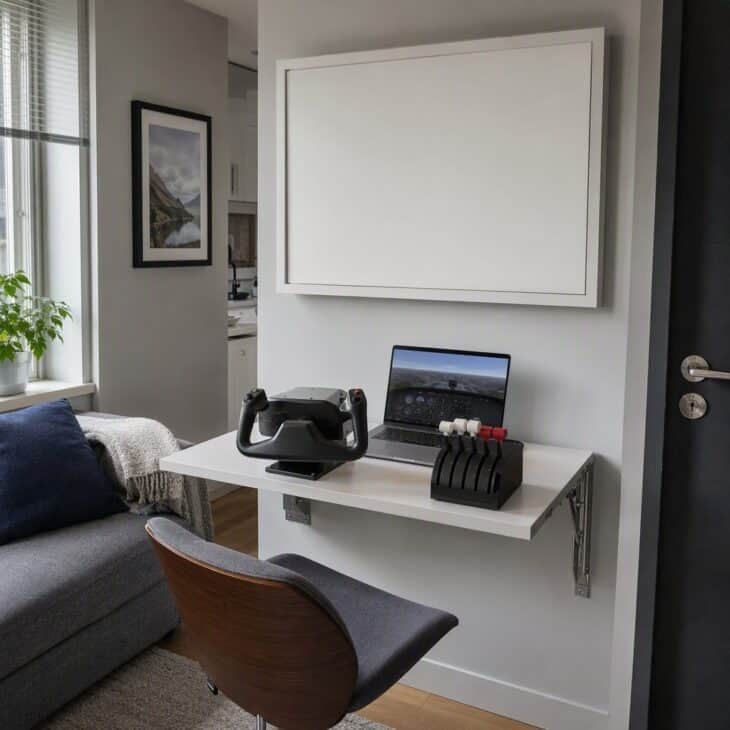
What it is A wall-mounted drop-leaf desk with a locking support bracket, wide enough for a yoke, a throttle and a laptop. When folded, it presents a slim panel that can hold a framed print.
Why it works Small-space simulation usually fails because the gear has to come out and go back every session. A fold-down surface removes that chore.
How to get it Fix the hinge into wall studs, not just plasterboard, because a yoke exerts sideways force. Choose a desk leaf at least 24 inches (61 cm) deep. Store the yoke and throttle in a shallow box beneath it.
04. Under-Desk Rudder Pedal Tray
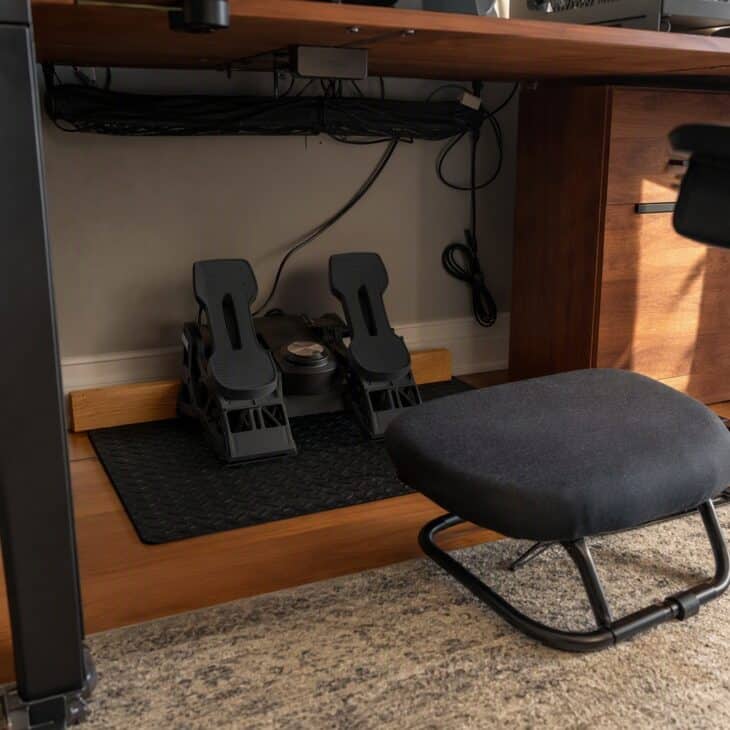
What it is A set of rudder pedals sitting on a rubber grip mat with a wooden or metal stop screwed to the floor or a board behind it. Many sets also work as toe brakes.
Why it works Pedals are the most overlooked simulator gear and the one that makes crosswind landings and taxiing feel real. A stop stops them skating away every time you press.
How to get it Use a thick rubber mat on hard floors and a carpet-gripper strip on carpet. Screw a hardwood stop to a board that slides under the desk. Leave room to move your heels, since pedal travel is longer than most beginners expect.
05. Triple Monitor Wraparound Desk
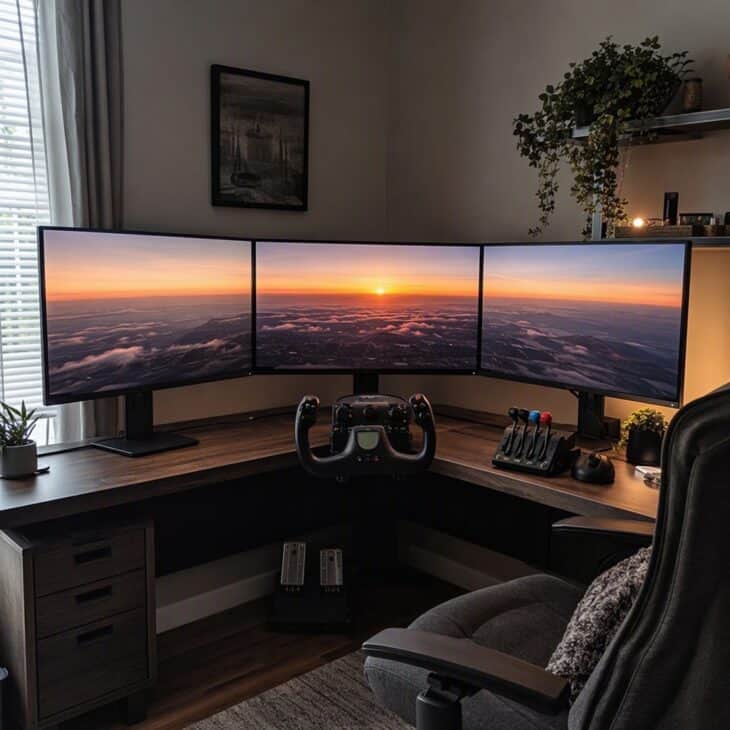
What it is Three same-size monitors on a sturdy triple stand, angled in an arc so the side screens wrap toward the pilot. The centre screen carries the main view and the sides show peripheral scenery.
Why it works A wider field of view makes it easier to judge turns and runway alignment. It also makes a modest desk look like a serious simulator.
How to get it Match the three monitors in size and resolution to avoid scaling issues. Confirm your graphics card has enough ports before buying. Set the side monitors at about 30 to 45 degrees so they wrap without distortion.
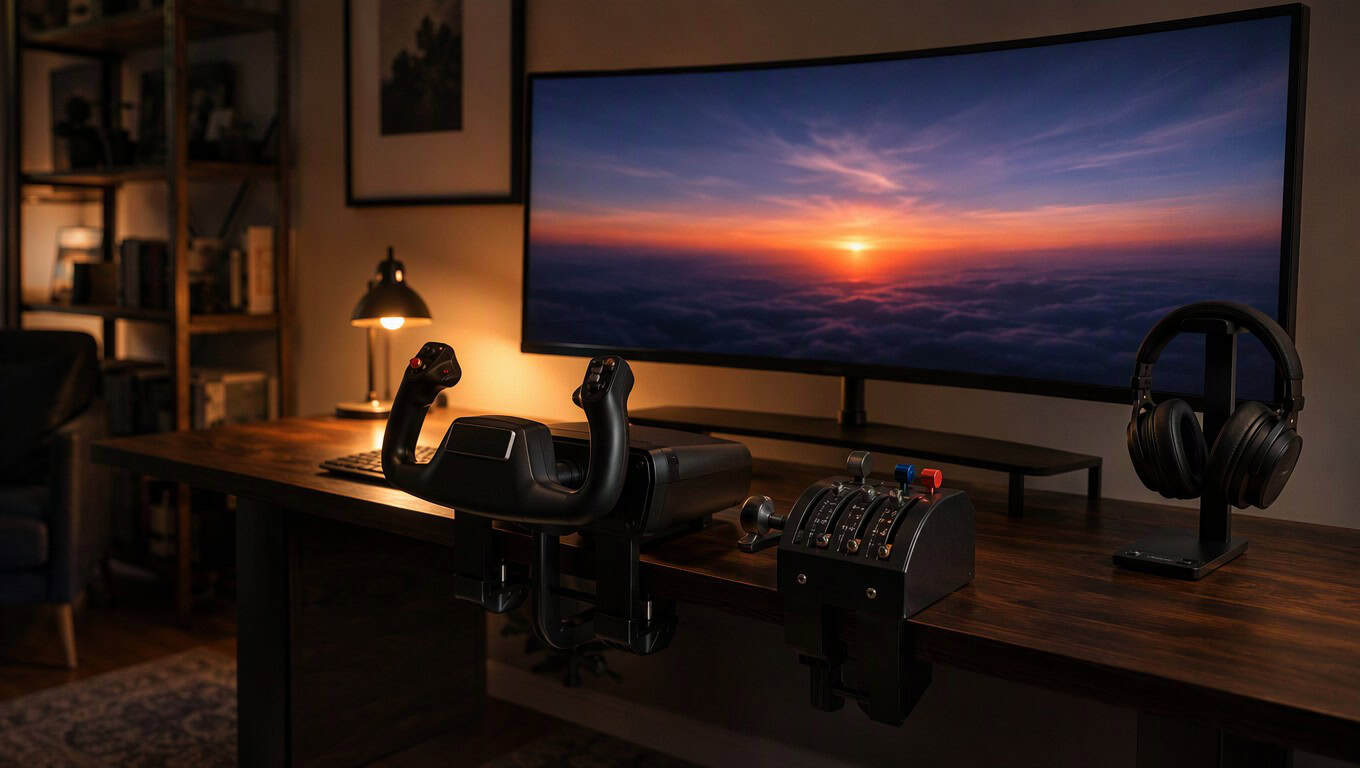
06. Ultrawide Curved Monitor Setup
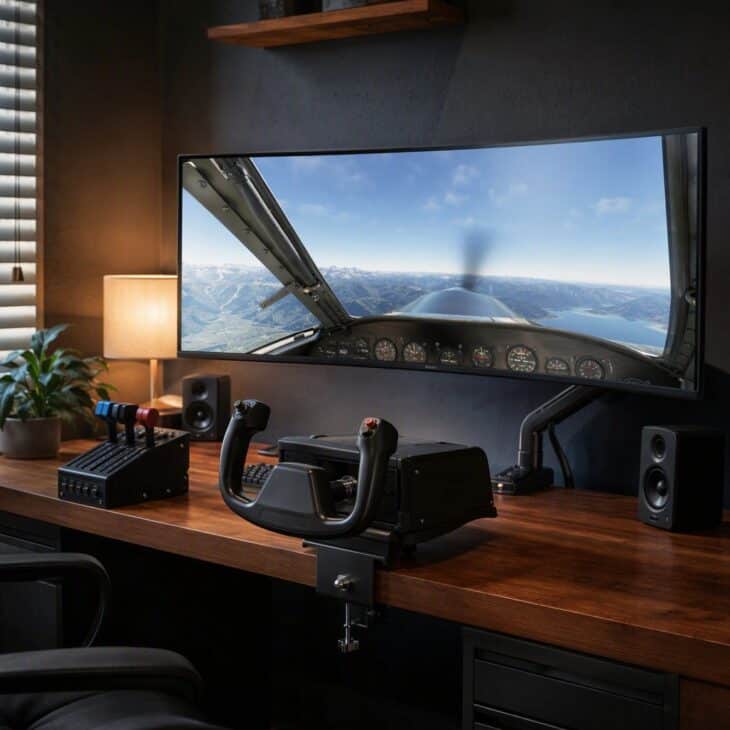
What it is A single curved ultrawide monitor, often 34 inches or larger, mounted on a desk arm so there is room underneath for a yoke. Many models offer a 21:9 or wider aspect ratio.
Why it works It delivers most of the triple-screen benefit with one cable and no bezel gaps. The desk stays clear, which leaves more room for controls. It also suits a tidy aviation home office.
How to get it Pick a display with a high refresh rate if your computer can match it. Use a desk arm to free the surface. Check how your chosen simulator handles ultrawide aspect ratios before buying.
07. Head-Tracking Cockpit View
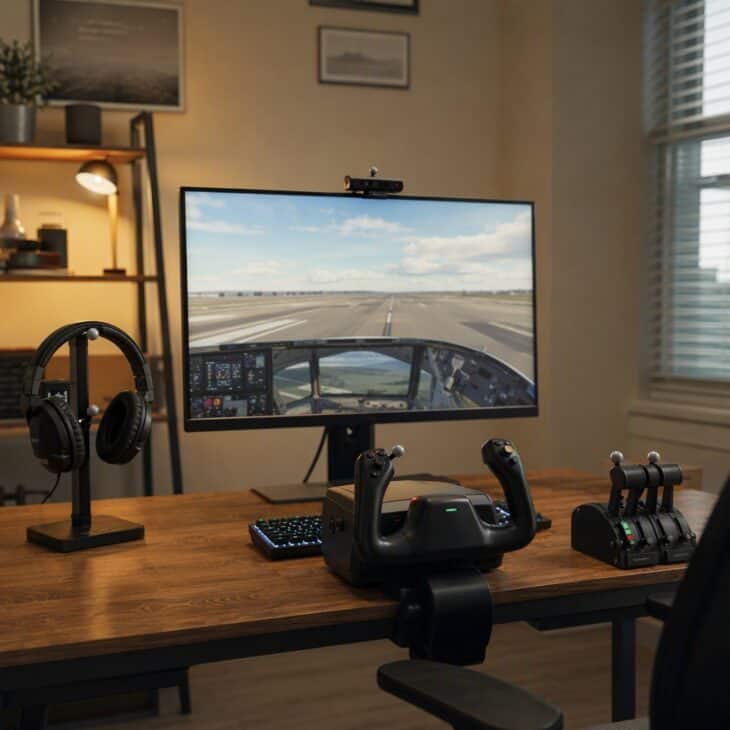
What it is A small tracking unit mounted above the monitor that reads a clip or camera on your headset, so your in-simulator view follows your head. Webcam-based and infrared-clip versions are both common.
Why it works Looking left to find the runway on a turn is natural, and head tracking brings that instinct into the simulator. It is one of the cheapest ways to add immersion.
How to get it Mount the sensor centered above the screen and set up good front lighting for webcam versions. Calibrate a neutral head position first. Give yourself a few short sessions to adjust the sensitivity.
Budget tip
Start with the controls, not the screen. A good joystick or yoke and a throttle improve flying more than a bigger monitor does.
08. VR Headset Flight Corner
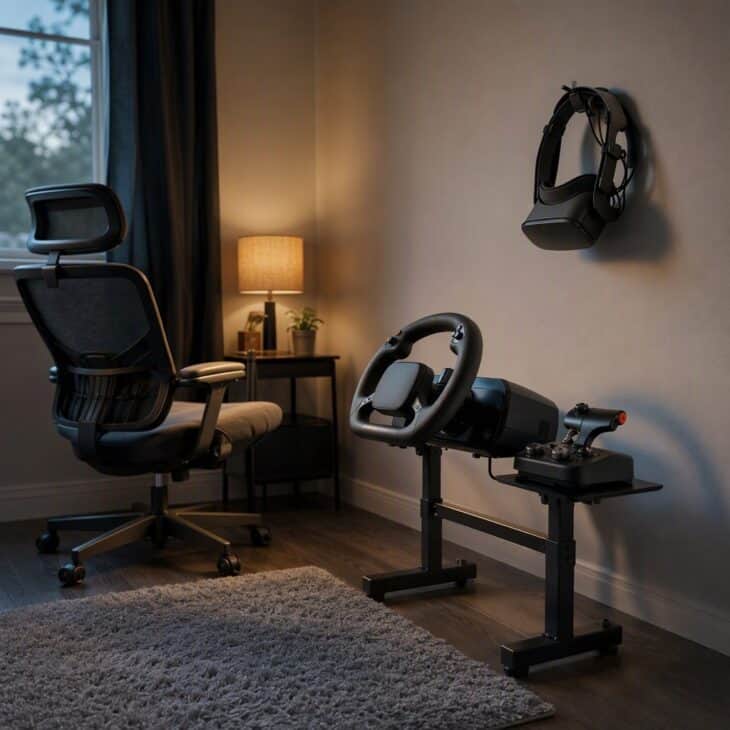
What it is A virtual reality headset kept on a wall hook, a chair that stays put, and a small stand holding a yoke and throttle you can find by feel. A soft floor mat marks the safe zone.
Why it works VR places you inside the cockpit with real depth, which helps with landings and with looking around the panel. A permanent corner means you will actually use it. Pair it with a grown-up aviation bedroom if the corner lives in a bedroom.
How to get it Mark a clear area so you do not strike furniture. Choose a chair that does not roll when you tilt your head. Learn the control layout by feel before you put the headset on.
09. Shelf-Mounted Switch Panel Rack
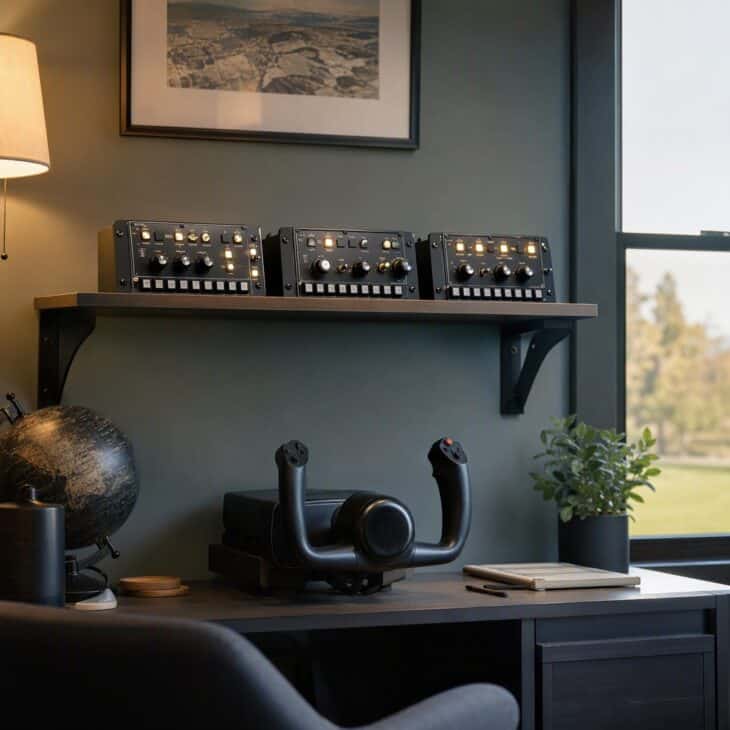
What it is Several switch panels, radio stacks or autopilot panels mounted side by side on a shelf or a fabricated rail above the screen. Most connect by USB and sit in a row at eye level.
Why it works Flicking real switches feels very different from clicking a mouse, and it frees up screen space for the outside view. A shelf keeps the controls visible without crowding the desk.
How to get it Fit a sturdy shelf at a height where you can reach every switch without leaning. Buy panels that connect by USB and work with your simulator. Label the shelf edge with removable tape rather than permanent marks.
10. Multi-Function Display Tablet Stand
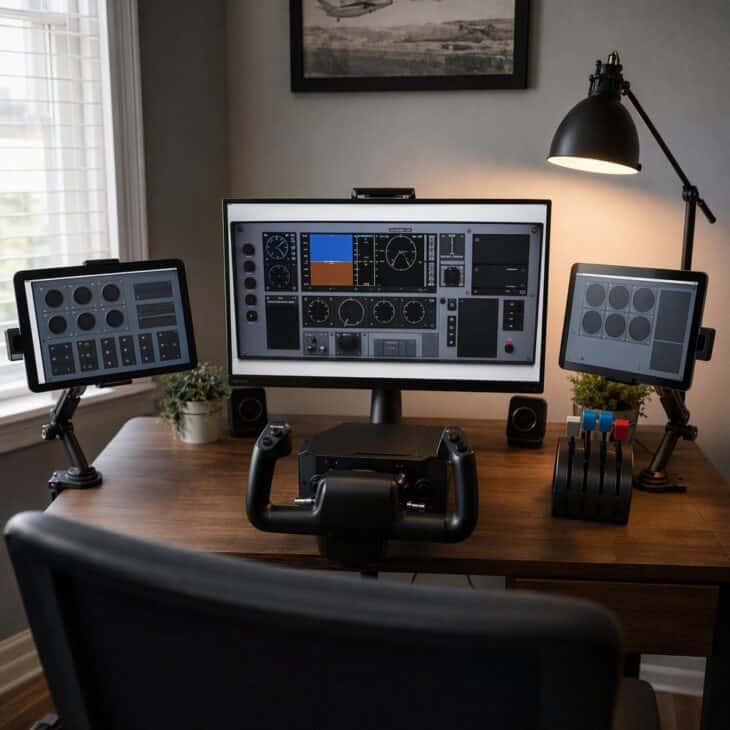
What it is One or two spare tablets on adjustable stands beside the main monitor, running companion apps that display extra instruments, maps or checklists. The main screen stays dedicated to the view.
Why it works A spare tablet turns into a cockpit display for nearly nothing. It clears clutter from the main screen and makes the setup look purposeful. Learning the layout helps if you later read about cockpit instruments.
How to get it Use any tablet that still runs the companion app. Choose a stand with a weighted base so it does not tip. Connect over the same network as the simulator computer and test the link before a flight.
11. Aircraft-Specific Airliner Pedestal
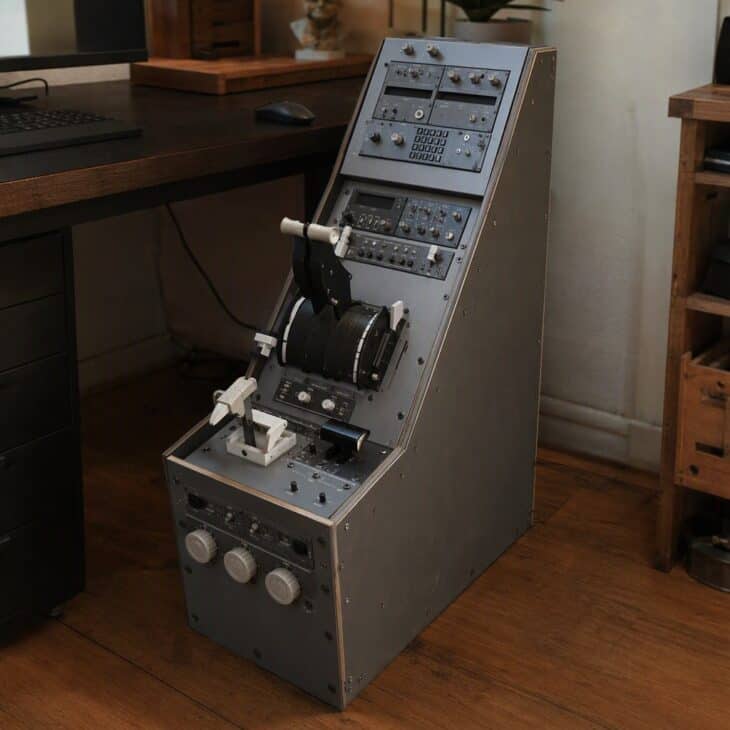
What it is A freestanding center-pedestal frame holding a multi-lever throttle quadrant, a flap and speedbrake lever, trim wheels, radio panels and a parking brake handle. Some builders add a small display on the front.
Why it works Airliner simulation relies on constant interaction with the pedestal, so a real layout makes procedures far more natural. It also gives the build a strong centerpiece. Student pilots may like these gifts for student pilots alongside the gear.
How to get it Start with a throttle quadrant that matches the airliner family you fly most. Build the frame from plywood and metal brackets. Mount the radios last so you can adjust the spacing.
12. Single-Seat Fighter Stick and Throttle
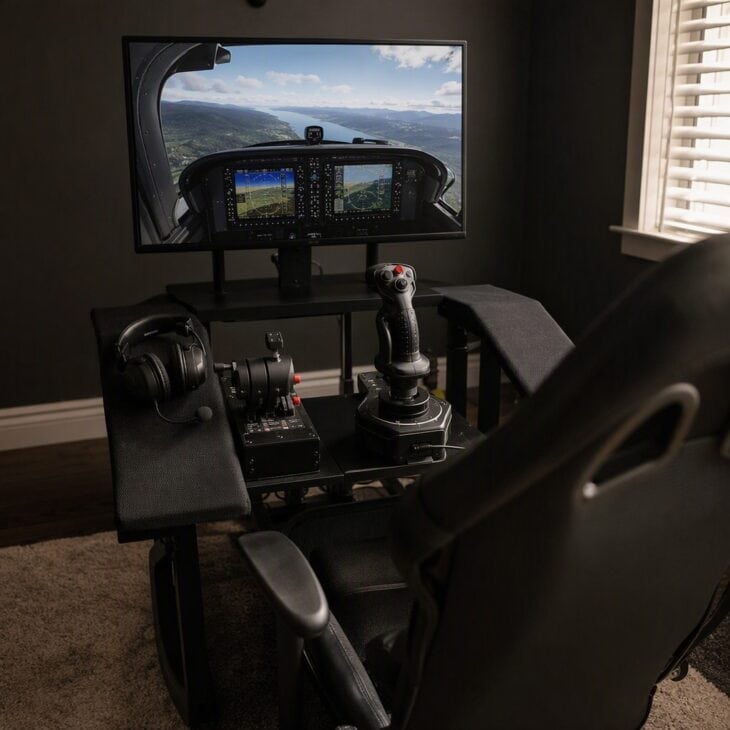
What it is A hands-on-throttle-and-stick set with a center-mounted grip on the right and a throttle on the left, each with many programmable buttons. Both mount to a desk or a small stand.
Why it works Fighter-style flying relies on constant button use, so every control needs to be at your fingertips. A matched pair keeps the layout coherent and the learning curve short.
How to get it Pick a metal-bodied stick and throttle for durability. Mount them to a plank that clamps to the desk. Print or draw a reference sheet of button mappings and tape it nearby.
13. Helicopter Collective and Cyclic Corner
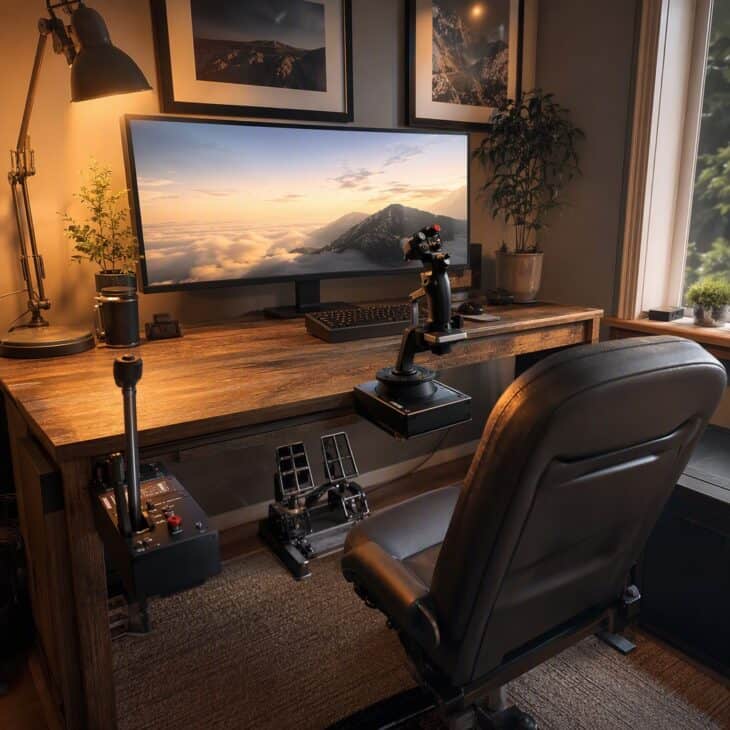
What it is A cyclic stick mounted at the center, a collective lever on the left, and pedals beneath, each with its own base. Several systems use a single frame to hold all three.
Why it works Helicopters demand three controls at once, so a shortcut joystick feels wrong. A proper trio makes hovering a realistic challenge.
How to get it Mount the collective at seat height on the left. Start in a helicopter that is forgiving, since hovering takes patience. Add a footrest so the pedals sit at a comfortable angle.
14. Budget Wooden Cockpit Frame
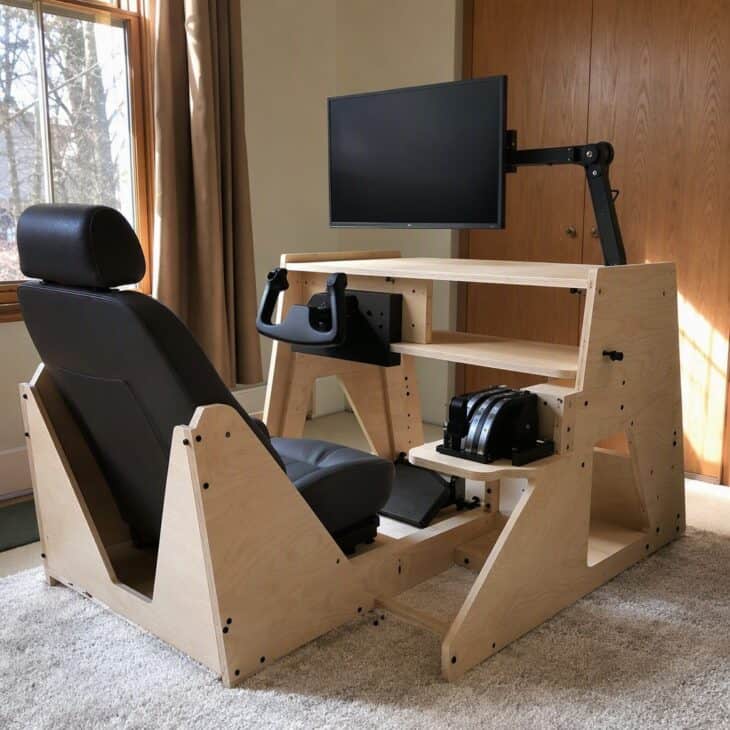
What it is A frame cut from birch plywood with a fixed bucket seat, a mounting bracket for the yoke, a shelf for the throttle and a monitor arm. Joints use bolts and wood glue.
Why it works A fixed frame keeps your seating position the same every time, so muscle memory builds quickly. It also looks far more cockpit-like than a desk.
How to get it Draw the plan on paper at full scale before cutting. Use a car bucket seat or a sturdy gaming chair as the base. Sand every edge and paint the plywood a matt dark grey for a realistic finish.
15. Aluminum Profile Simulator Rig
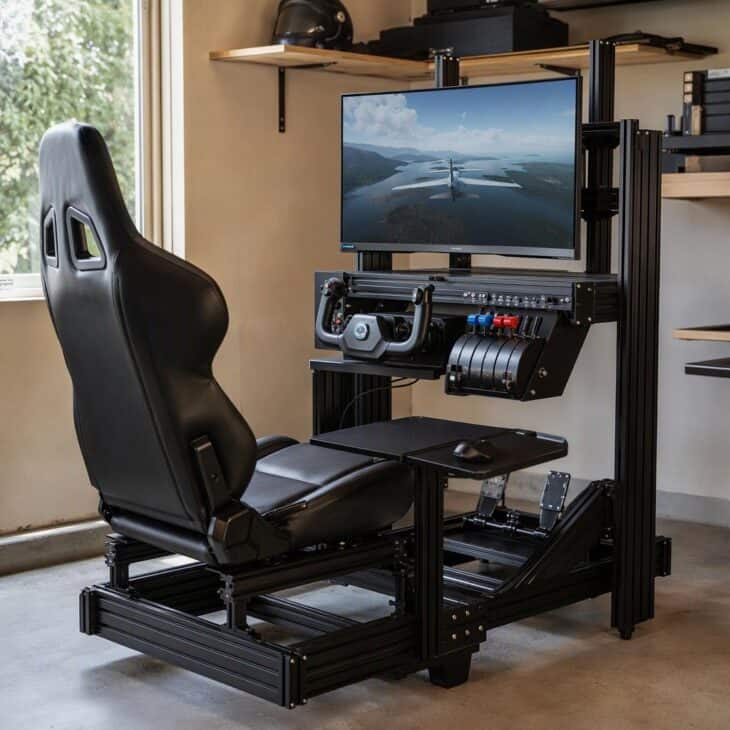
What it is A frame built from slotted aluminum profile with a bucket seat, an adjustable monitor stand and mounting plates for yokes, throttles and pedals. Every piece slides and locks with simple bolts.
Why it works The slots let you move controls by inches as your setup changes. The frame also stays rigid under strong pedal and yoke force.
How to get it Buy a kit designed for simulation rather than cutting your own profile. Use corner brackets and T-nuts for strong joints. Leave extra slots free for future upgrades.
16. Garage Cockpit with Fixed Seat
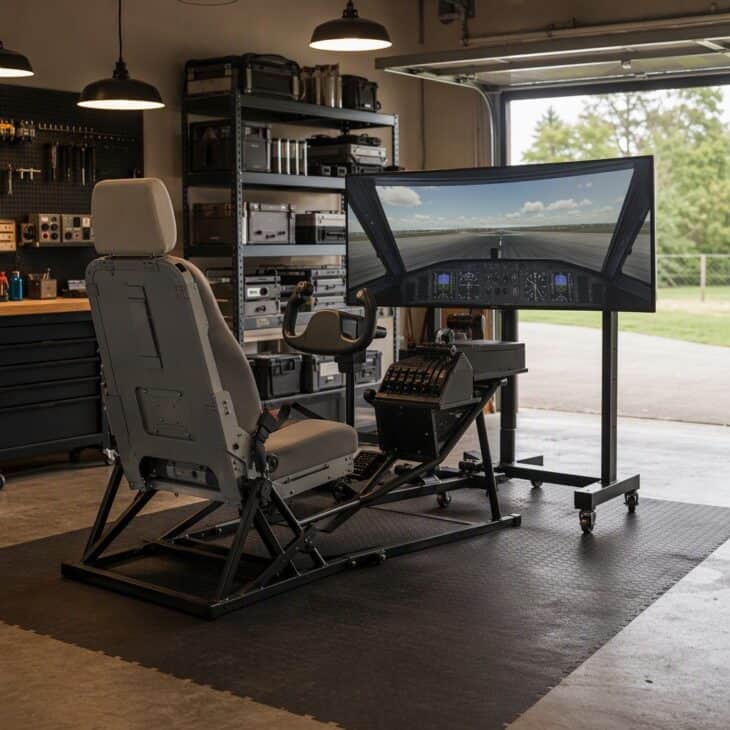
What it is A freestanding rig in a garage bay with a bolted seat, floor-mounted pedals, a yoke and a throttle, and a wide screen on a rolling stand. A rubber floor mat and a power strip complete the corner.
Why it works A garage offers the space, the noise tolerance and the permanence that a bedroom cannot. Leaving the rig built means you fly more often.
How to get it Insulate the corner or use a small heater, since cold concrete is miserable in winter. Mount a power strip on the wall with a master switch. Keep the cockpit away from the door so passing cars do not disturb you.
Safety tip
Keep cables tidy, fit guards on anything that moves, and place a stop switch where you can reach it. A motion rig deserves the same care as any workshop machine.
17. Three-Screen Projector Wall
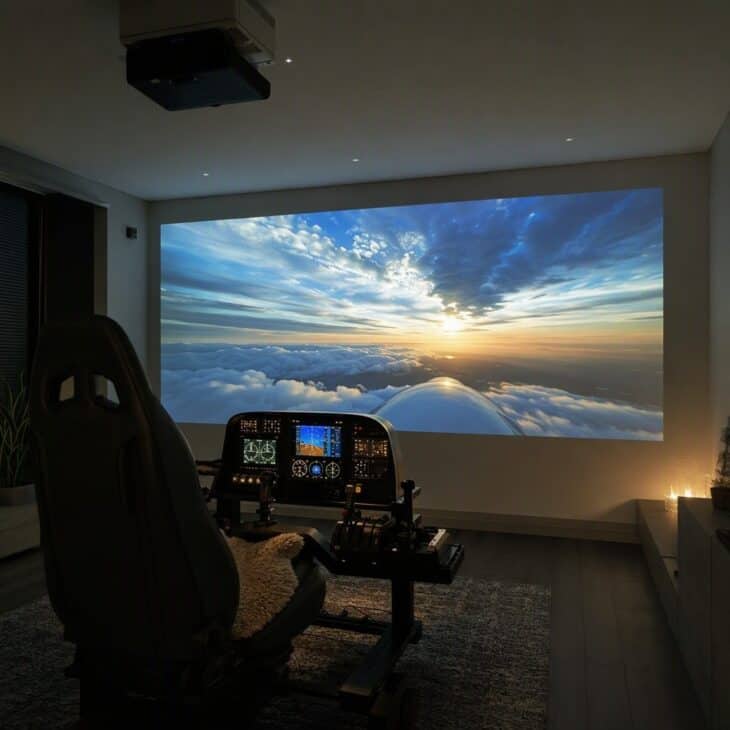
What it is A short-throw projector mounted to the ceiling and aimed at a smooth white wall or a screen, with a seat and controls at the right distance. A low-gloss paint finish reduces glare.
Why it works A big image creates a sense of scale that monitors cannot. It also lets a whole family watch the flight.
How to get it Pick a projector with low input lag, since delay makes landings harder. Paint the wall a flat white or use a screen. Block daylight with blackout curtains for contrast.
18. Cockpit Panel Replica Wall
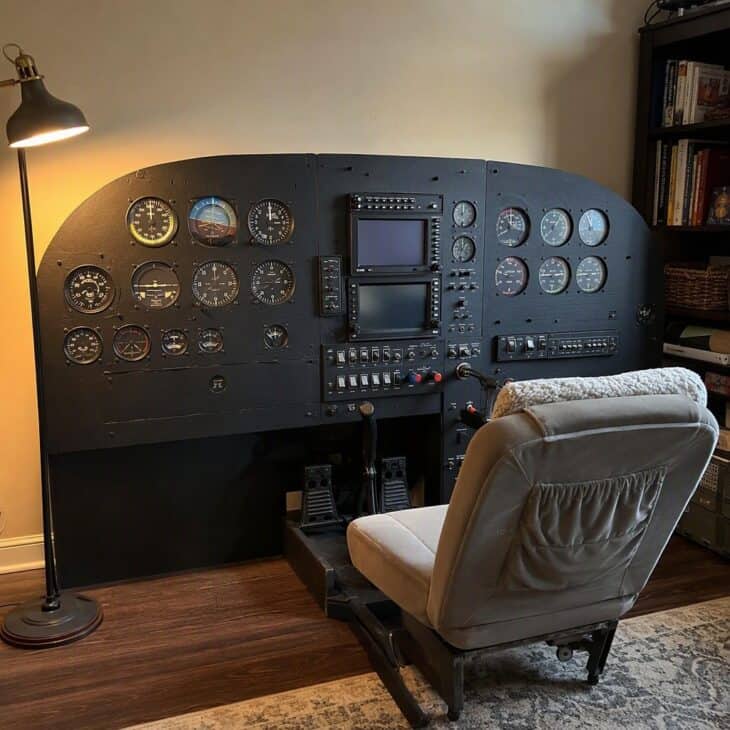
What it is A full-width panel cut from plywood or acrylic with openings for tablets, round displays, switches and knobs, finished in matte black or grey. It stands in front of the seat like a real glareshield.
Why it works A panel turns small screens and switches into one coherent cockpit. It also lets you copy the layout of the aircraft you actually fly.
How to get it Measure the real panel layout from photographs of your favorite type. Cut openings with a jigsaw and test-fit each device before painting. Seal the edges and leave a rear hatch for cabling.
19. Motion Platform Seat Mover
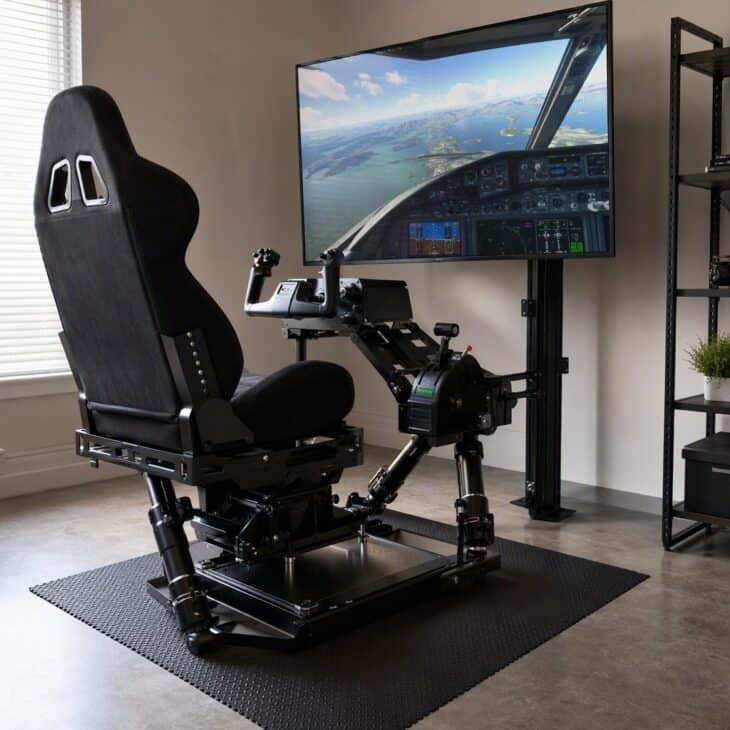
What it is A two-axis or three-axis platform that tilts a seat in pitch and roll, with software tied to the simulator. Some use electric actuators and others use belts and motors.
Why it works Feeling a bank or a bump tells your body what your eyes already know. It is one of the biggest steps toward immersion, but also one of the most demanding.
How to get it Check the weight rating and the floor strength before buying. Fit guards over pinch points and an emergency stop within reach. Start with gentle motion settings and increase them gradually. Display a few model airplane displays on the shelves.
20. Home Hobby Hangar Corner
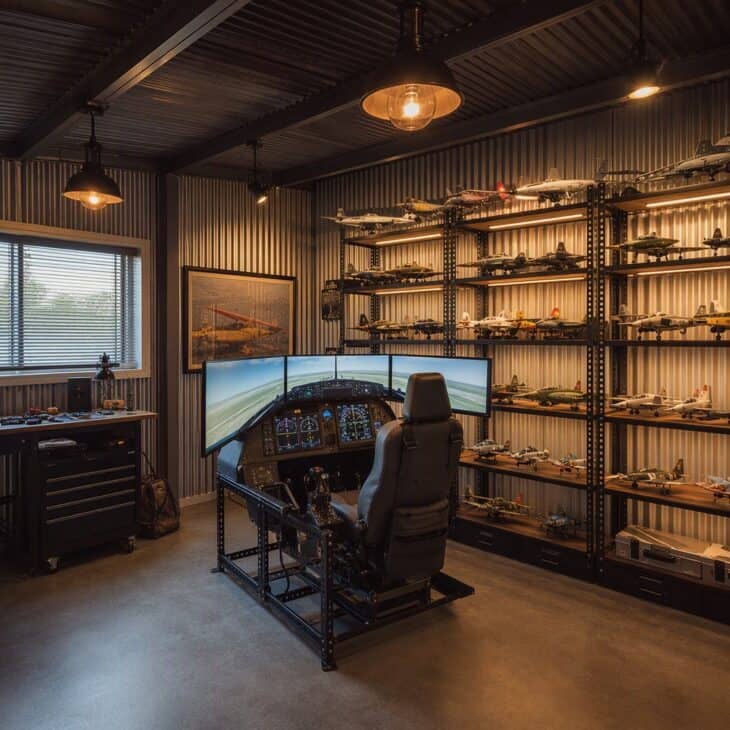
What it is Corrugated metal wall panels, steel shelving with model aircraft, industrial pendant lamps and a cockpit rig in the center. A concrete-look vinyl floor completes the theme.
Why it works A themed room makes each session feel like an event. It also keeps the gear in one place and the rest of the home calm.
How to get it Fit panels with a thin plywood backing so they do not rattle. Use LED lamps to avoid heat. Display only a handful of models and rotate them seasonally.
21. Sim Room Acoustic Treatment
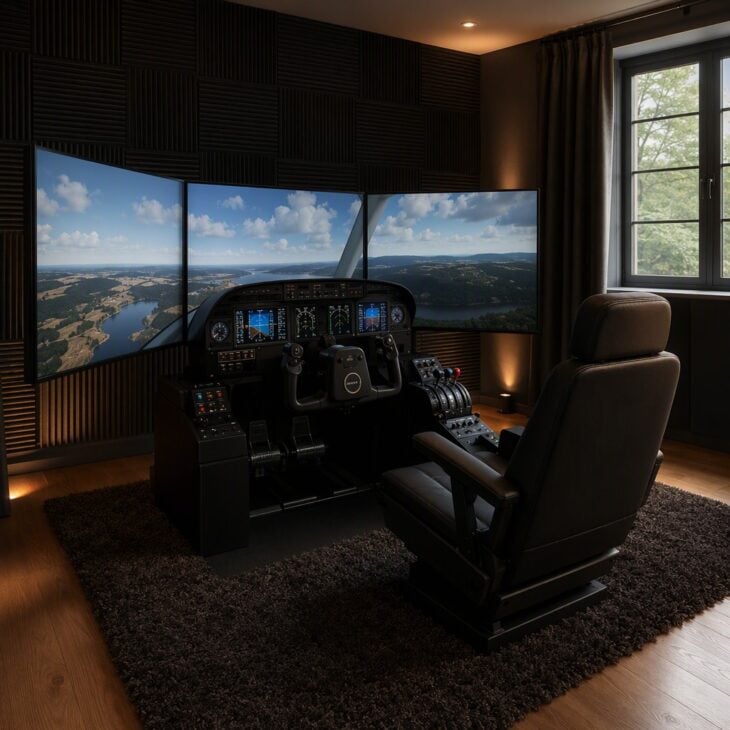
What it is Fabric-wrapped acoustic panels on the walls behind and beside the seat, a thick rug under the rig and heavy curtains on the window. A door sweep seals the gap at the bottom.
Why it works A treated room sounds better and leaks less noise, which matters when engines roar at night. It also hides the reflections that make audio feel thin. Dim lighting also suits an aviation home bar next door.
How to get it Place panels at ear height at the first reflection points on each side. Use a rug underlay to damp floor vibration. Seal the door with a draught strip before adding anything else.
22. Cockpit Lighting and Night Mode
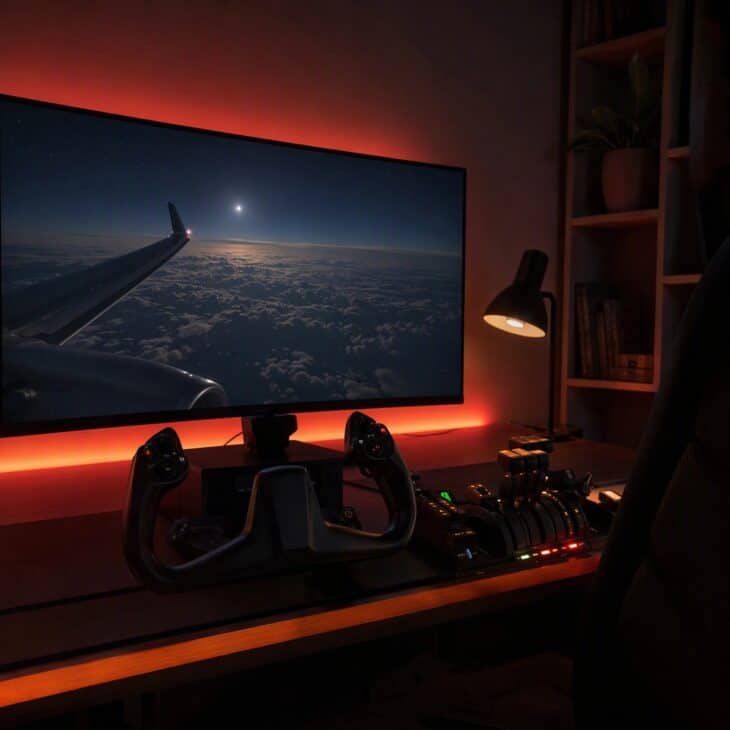
What it is Warm amber or soft red LED strips behind the monitor and along the desk edge, controlled by a dimmer or an app. A shaded lamp provides reading light for charts.
Why it works Low, warm light protects night vision in the virtual world and makes the room feel like a real cockpit after dark. It also reduces eye strain. A framed chart works well alongside aviation wall art.
How to get it Place strips behind objects so the light is indirect. Use a dimmer so brightness can match each flight. Avoid white light near the screen because it washes out the picture.
23. Charts and Checklist Wall Station
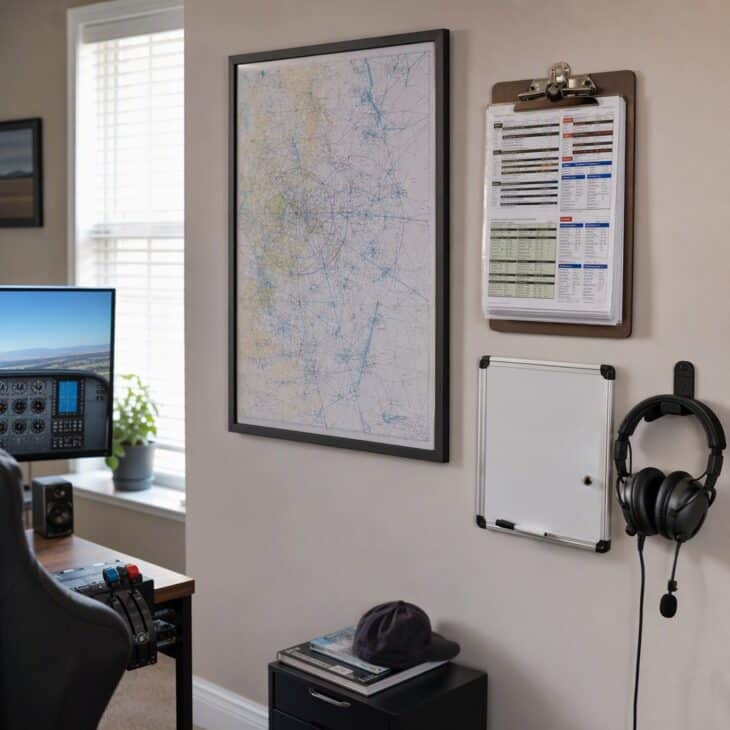
What it is A framed chart, a clipboard of laminated checklists, a small whiteboard and a headset hook mounted at arm’s reach beside the desk. A slim shelf holds a notebook and pens.
Why it works Real flight preparation uses paper, so keeping it close makes the session feel authentic. It also keeps the desk free for controls.
How to get it Print and laminate your own checklists at home. Hang the chart where light does not fade it. Add a small clip for the next flight’s route.
24. Dual-Pilot Side-by-Side Rig
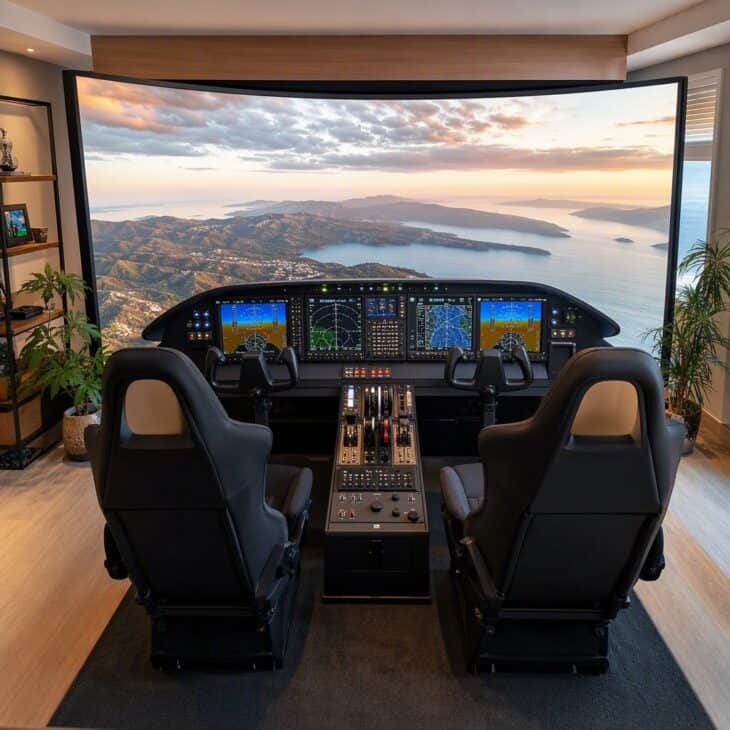
What it is Two bucket seats beside each other, two yokes, a shared center pedestal and a wraparound screen setup. Software that supports a second pilot lets each person handle different duties.
Why it works Flying as a crew is more fun and teaches real division of tasks. It also turns the simulator into a shared hobby.
How to get it Build the frame wide enough that elbows do not clash. Choose software that allows two seats on one computer or over a network. Agree on callouts before you start.
25. Full Replica Cockpit Shell
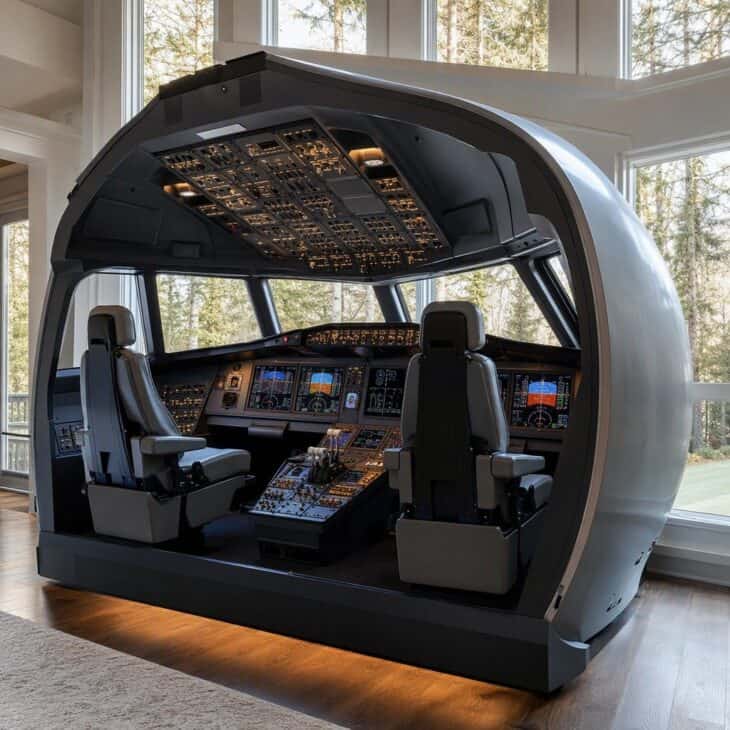
What it is A full-scale replica of an airliner nose section, often built in fiberglass or plywood, with an overhead panel, a center pedestal, seats and projection or monitor displays. Builders often reuse genuine parts.
Why it works Nothing matches the immersion of sitting inside a real-sized flight deck. It is also a showpiece that turns a room into a destination. Simulator gear is also a strong pick from this list of gifts for pilots.
How to get it Plan for a large room and a long timeline, often a year or more. Buy a pre-cut frame kit to save weeks. Join an online builders’ forum for advice and spare parts.
FAQ
Sources and references used for research and fact-checking.
Get the Newsletter
The latest aviation news and stories sent to your inbox.
About the Author

Hanna writes AeroCorner's aviation-lifestyle and decor guides, turning a love of flight into ideas for your home, celebrations, and gift lists.